

Installation Instructions
Our premium quality, self-adhering backgrounds are easy to apply to the exterior of your tank.
View or download our installation instructions below.
If you need additional assistance, email [email protected] before beginning.
Your Vinyl

Your aquarium vinyl background is composed of 2 layers:
The self-adhering vinyl print (your graphic)
The semi-transparent backing film, located on the front of the print (to be peeled off during application)
Also included is a smoothing squeegee for graphic application.

Vinyl background & semi-transparent backing film
IMPORTANT:
All vinyl backgrounds and decals should be installed on the exterior of your tank only.
DO NOT install any vinyl products on the inside of your tank.
DO NOT bend or crease the material
DO NOT remove the semi-transparent backing film before reading the installation instructions
Hardware & Prep.

Clean tank surface of all debris with a dampened cloth & dry thoroughly.
Make sure all obstructive hardware is removed. For best results, install on the outside of an empty tank. Take care not to bend or crease the material.
If possible, we recommend laying the tank face-down on a flat, sturdy surface. Backgrounds can be installed on standing tanks, as long as you can reach the entire back of the tank (the center and all four corners).

Clean tank laying face down
Arrange all supplies for easy access:
Vinyl Graphic (your aquarium background)
Application Squeegee (included with purchase)
Masking Tape (Not Included)
Scissors, Razor Blade, or Exacto Knife (Optional, Not Included)
1. Anchoring

IMPORTANT:
DO NOT peel off the semi-transparent backing film before this step.
With the help of a friend, align the graphic (with the backing still attached) facedown along the top edge of the tank.
Using a strip of masking tape (shown in pink in the illustration), anchor the graphic in the center. Larger backgrounds may require more than one anchor.
NOTE:
If your background is slightly larger than the glass / acrylic area, don’t worry!
Simply align the graphic to the top edge and use a pencil to lightly mark the trim line along the back of the print.
Move the background to an appropriate cutting surface (such as a craft mat or cutting board) and carefully cut the excess material off of the bottom edge using an Xacto knife, razor blade or scissors before applying the background to the tank.
DO NOT attempt to cut the background while it is on the tank.

Background anchored with masking tape
2. Trim Backing

(A) Carefully peel back the vinyl print from the backing (shown in blue in the illustration) of one side.
(B) Trim the exposed backing up to the tape, taking care not to cut the graphic.
(C) Discard backing film.

(A) - Peel the backer from the graphic

(B) - Cut the backing film and discard
3. Apply Vinyl

(A) Hold the now exposed graphic taut by the edge.
(B) Use the soft felted side of the included squeegee to slowly work the adhering side of the vinyl onto the tank surface at an angle from top to bottom, working slowly from the center of the graphic outwards to the edges. The vinyl should be applied in controlled, even strokes to work out any bubbles or wrinkles.
NOTE:
In the event of a mistake, don’t panic!
You can simply peel back the material and use the squeegee to gently re-apply the background to the tank.

(A) - Hold the edge of the graphic

(B) - Use the squeegee to apply the background to the tank
4. Repeat Application


(A) With first side applied, remove the masking tape strip and peel back the graphic. Remove the remaining backing (shown in blue in the illustration).
(B) Repeat Step 3 to apply the second half of the vinyl print to the tank.
(A) - Remove masking tape

(B) - Remove the backing film from the graphic

(B) - Use the squeegee to apply the background to the tank
5. Success! Your vinyl graphic is installed and ready for action!
We’d love to see it!
Email us a photo at [email protected], or share it with us on social media, and receive a coupon code for 25% off your next purchase.

(5) - Background fully adhered to tank
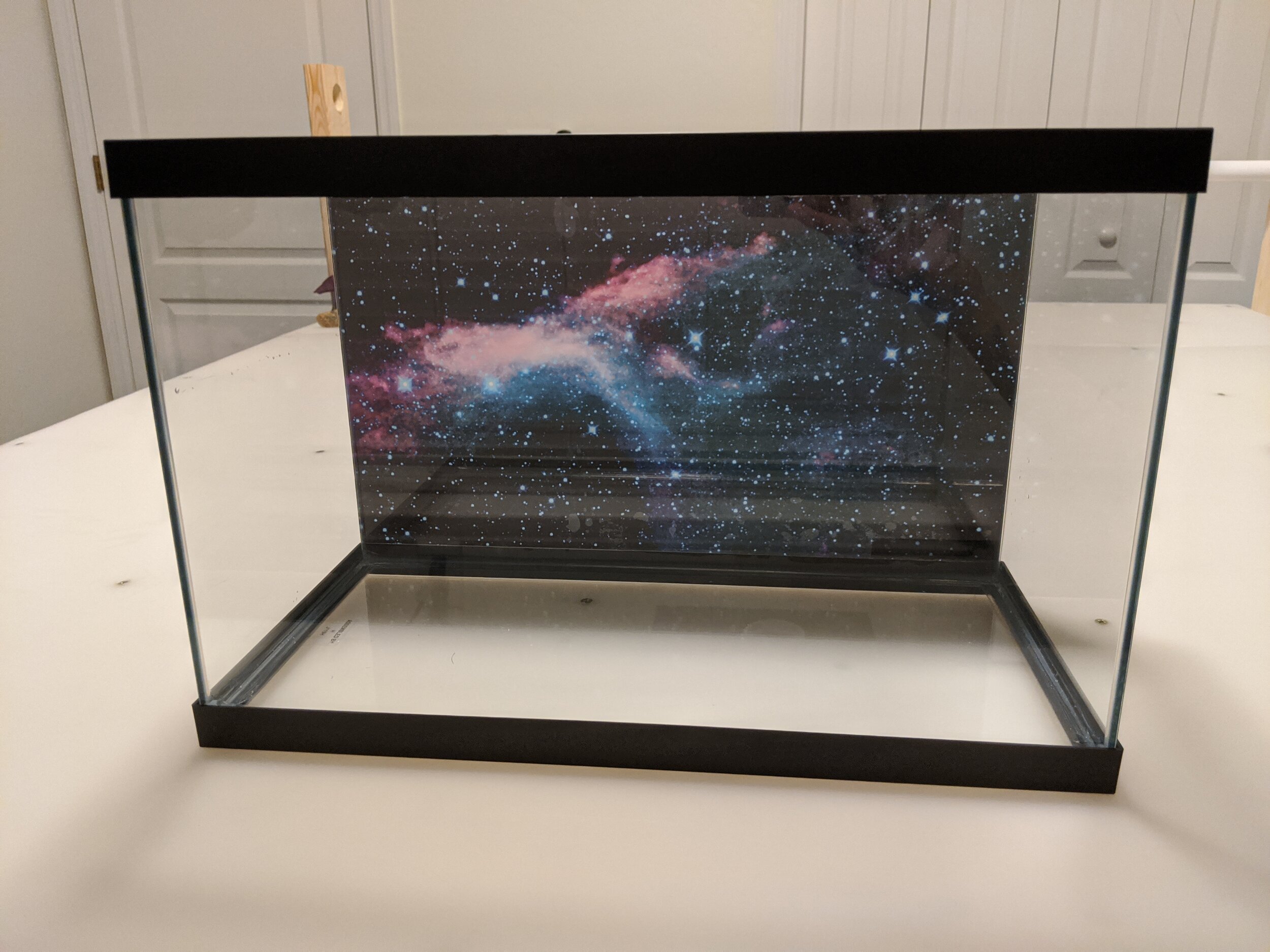
(5) - FINISHED!
6. Removal & Storage
IMPORTANT:
DO NOT bend the corners!
Apply 3” to 4” of scotch tape onto any corner of the background. Pull the extended tape to lift the print from the tank surface. If a crease or bend is created, you can try bending the material in the opposite direction to flatten.
If you plan to reuse the product, store it rolled up in its original tube with the adhering side on the inside of the roll. You can gently rinse or wipe with a wet cloth to remove any debris before re-applying. If the adhering side collects too much dust, dirt, or fibers, it will become less effective in sticking properly to the tank.
We offer optional replacement backing paper for storage that offers added protection to the adhering side of the material while it is not in use.